
BUILT IN THE USA. READY FOR YOUR PROJECT.
Switchgear SCADA Integration
Connecting new switchgear to supervisory control and data acquisition (SCADA) is a coordination task, not simply a network cable added at the end of a project.
DIRECT FROM THE MANUFACTURER / NEW EQUIPMENT
THE MANUFACTURER’S PERSPECTIVE — 02
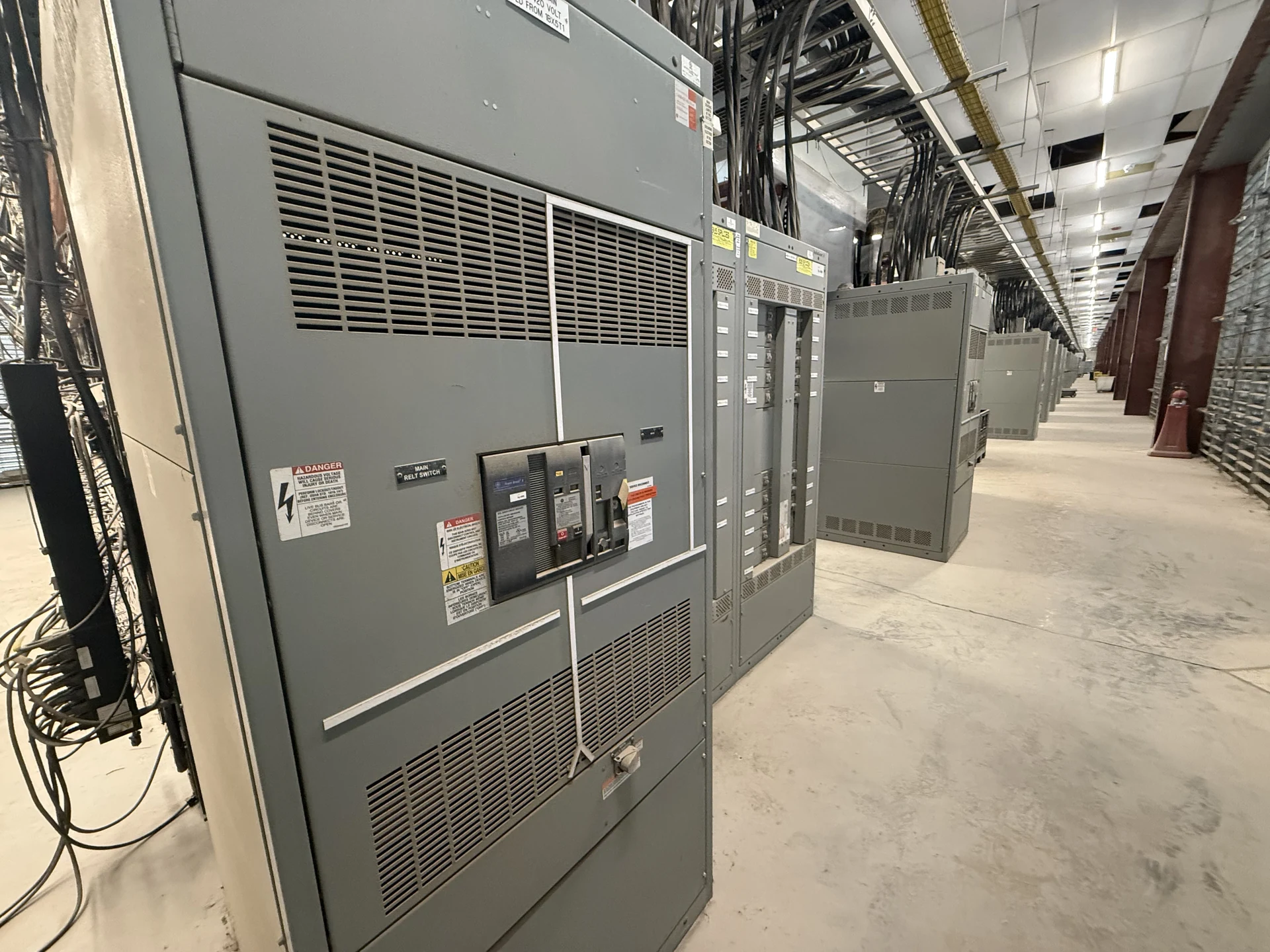
Connecting new switchgear to supervisory control and data acquisition (SCADA) is a coordination task, not simply a network cable added at the end of a project. Engineers, contractors and facility owners need agreement on what the equipment reports, what operators may control and how those functions are verified. A clear integration scope makes a direct-manufacturer quotation more useful and reduces late changes during commissioning.
Define the operating and purchasing boundaries
Start with the one-line diagram, equipment schedule and a description of the intended operating states. Identify the devices expected to provide data, such as protective relays, breaker trip units and meters, and the receiving SCADA system. Distinguish required functions from optional monitoring so proposals can be compared on the same basis.
A new assembly may include communication-capable devices or terminals for external connections, depending on the agreed design. Specify who supplies the network hardware, control power, field cabling, SCADA programming and site commissioning. The manufacturer and project team should resolve those boundaries before approving the equipment submittal, rather than leaving them to the installer.
Make the point list an engineering document
For each SCADA input, record its source, point name, meaning and normal state. Breaker position, trip indication, relay alarms and measured electrical quantities are different signals; one should not be assumed to substitute for another. Include units, scaling, alarm priorities and whether values are read directly from a device or through an intermediate controller.
For each SCADA output, identify the intended command and destination. Define addressing, data types, update expectations and the treatment of invalid or stale data. Clarify the direction of hardwired inputs and outputs from each device’s perspective. A reviewed point schedule, cross-referenced to wiring diagrams and network maps, provides a shared basis for programming and testing.
Keep remote commands within the control philosophy
Remote monitoring can be valuable without remote switching. If commands are required, specify who has authority, how local and remote control are selected, which indications confirm the resulting state and how an unsuccessful command is reported. The design team should also document permissives, interlocks and the response to loss of communication or control power.
Protective functions and necessary interlocks should be designed to perform their intended duties independently of SCADA communications, as established by the approved protection and control design. A screen indication is not proof that equipment is safe to access. Qualified personnel must follow the site’s electrical safety procedures and equipment instructions for all field work.
Choose the network interface deliberately
The specification should identify the protocol and applicable version or profile, supported device interfaces and responsibility for any gateway or protocol conversion. Modbus TCP, DNP3 and IEC 61850 are examples to evaluate against the receiving system and selected devices; naming a protocol alone does not establish compatible data models or functions.
Coordinate copper or fiber connections, switch ports, network topology, addressing, time synchronization and physical cable entry with the owner’s controls team. Decide whether redundancy is worth its added equipment and configuration complexity. Agree on timestamp source, quality flags and recovery behavior so a communications interruption is not mistaken for an actual equipment event.
Address cybersecurity before network approval
The owner’s operational technology team should define network zones, access paths and security requirements before device selection is finalized. Consider segmentation, restricted remote access, individual user accounts where supported, logging and approved configuration changes. Device capabilities vary, so verify each proposed control rather than assuming a protocol supplies every security feature.
Assign responsibility for credentials, firmware management, backups and restoration of device configurations. Document who maintains an asset inventory and who approves connections between the equipment network and the wider facility network. Security requirements can affect component selection, submittal review and commissioning time, making them material commercial as well as technical decisions.
Plan acceptance tests and the handoff
Include a factory acceptance test scope in the purchase request: identify witnessed or recorded checks, simulated signals, communication links, pass criteria and required test reports. Test provisions depend on the agreed equipment and available interfaces. Resolve the test setup and SCADA simulator responsibilities early, particularly if the final site system will not be present.
For site acceptance, schedule coordinated checks among the manufacturer, installing contractor, controls integrator and owner, with qualified personnel working under the approved site plan. Agree on safe test conditions, fault and recovery demonstrations, punch-list closure and final point-list revisions. Deliverables should include approved drawings, device configurations, network information and test records, with ownership of each item stated in the proposal.
LET'S BUILD SOMETHING RELIABLE — 03
Ready to talk
switchgear?
Tell us about the new equipment your project needs. Include as much or as little detail as you have today.
(951) 403-5738CALL TO DISCUSS YOUR PROJECT