
BUILT IN THE USA. READY FOR YOUR PROJECT.
Documenting Legacy Switchgear
Replacing an existing switchgear lineup starts with knowing what the facility actually has, not just what an old drawing says.
DIRECT FROM THE MANUFACTURER / NEW EQUIPMENT
THE MANUFACTURER’S PERSPECTIVE — 02
Replacing an existing switchgear lineup starts with knowing what the facility actually has, not just what an old drawing says. For specifying engineers, contractors and owners, a well-organized record of the existing installation helps a manufacturer evaluate a new assembly and identify uncertain interfaces before those uncertainties become schedule or installation problems.
Start with identification and source documents
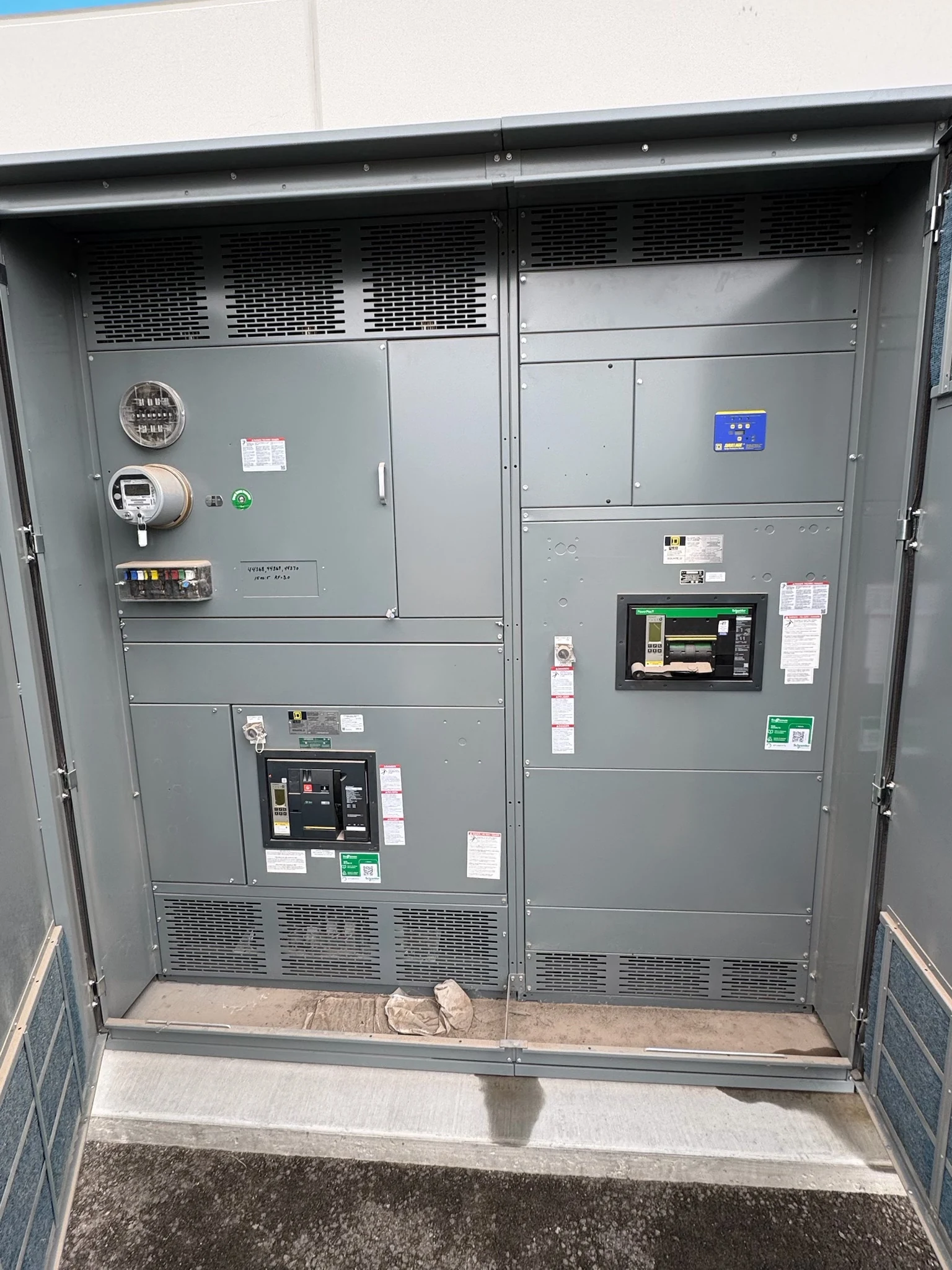
Photograph visible equipment nameplates and record the manufacturer, model or type, serial number and marked electrical ratings where legible. Capture each distinct section and major device, because an overall lineup label may not describe every feeder. Note missing or unreadable information rather than filling gaps from a similar-looking installation.
Collect the latest available one-line diagrams, equipment drawings, panel schedules, manuals and prior engineering studies. Record each document's date and revision, and flag conflicts with observed labels. An older fault study or drawing is useful context, but its assumptions need review against present sources and loads before it supports a new design.
Trace the system on paper
Mark the normal source, any alternate source, transformer connections, main devices, ties and outgoing feeders on a working one-line. Identify where each feeder goes and whether it supports a critical process. Include utility metering and generator or transfer equipment where relevant, and distinguish confirmed connections from information still awaiting verification.
Ask the engineer to establish the present system voltage, phase and wire configuration, grounding arrangement, load requirements and available fault current at the intended connection. Existing nameplate ratings describe the installed equipment; they do not independently establish today's fault duty or the ratings required for the proposed assembly.
Record the physical interfaces
Document the lineup's overall width, depth and height, section breaks, floor or pad features, and the locations of nearby obstructions. Include the equipment room entrance and delivery route. Distinguish a measured dimension from an estimate, and identify where door swing, breaker handling or required working space limits the replacement layout.
Record cable or busway approach directions, entry locations and apparent termination constraints without disturbing the installation. Where information is available, identify conductor quantities, sizes and destinations. A new lineup that matches the old footprint may still need different bending space, supports or connection locations, so the installer and manufacturer should review interface drawings together.
Make photos and modification notes useful
Use overview photographs to establish orientation, then close-ups of accessible labels, section identifiers and external connections. Name files by equipment location and section, and add a simple marked-up plan showing the camera viewpoint. Protect sensitive site information and share imagery according to the owner's security requirements.
Log known modifications, added feeders, changed protective devices, control wiring revisions and any discrepancies between records and the field. Identify who supplied each observation and when. Only qualified personnel working under the owner's safety procedures should collect information that requires electrical access; do not open or disturb equipment simply to complete a quote package.
Turn the evidence into a purchase scope
Send the direct manufacturer the evidence package along with a load schedule, desired protection and metering functions, enclosure environment and future feeder needs. State whether the goal is a like-for-like functional arrangement or a redesigned distribution scheme. Preserving existing connections may reduce site changes, while a different arrangement can improve access or accommodate growth.
Request a proposal that identifies assumptions, exclusions, equipment ratings to be engineered, connection responsibilities and required documentation. Ask for preliminary elevations, a one-line, device and interface schedules, and project-specific inspection and test deliverables. Where a switchboard standard or listing is specified, verify its applicability and the proposed assembly's actual listing scope rather than assuming it.
Resolve uncertainties before the outage
Maintain an issue register linking each open question to an owner and decision date: for example, whether existing feeders can reach new terminals or whether utility approval is needed. The contractor, engineer, facility team and manufacturer should agree which facts must be confirmed before drawings are approved and components are committed.
Build the schedule around information gathering, engineering review, submittal approval, manufacturing, delivery and field commissioning, allowing for project-specific dependencies rather than assuming a fixed lead time. The owner coordinates affected loads, utility interfaces and outage approvals with qualified personnel. Final drawings, test records and operating documentation should reflect approved changes at handoff.
LET'S BUILD SOMETHING RELIABLE — 03
Ready to talk
switchgear?
Tell us about the new equipment your project needs. Include as much or as little detail as you have today.
(951) 403-5738CALL TO DISCUSS YOUR PROJECT